An introduction to investigating database performance in a Laravel application.
When database CPU usage spikes, the first question is often the same: what is causing it?
Sometimes, the answer seems obvious. A report takes too long to load, a page times out, or the application becomes noticeably slower during a particular time of day.
The natural instinct is to look at the database indexes. Perhaps a query needs another index. Perhaps an existing index isn’t being used. Maybe adding a composite index will solve the problem.
But before making any changes, there’s a more important question to answer:
Do we actually know which queries are causing the problem?
I’ve been thinking about this while working with Laravel applications that have many reports and dynamic filters. When a report can filter by different combinations of fields, figuring out which indexes to create can quickly become overwhelming.
The challenge isn’t simply knowing how indexes work. It’s knowing where to start.
The temptation to add more indexes
Imagine a Laravel application with dozens of reports.
One report filters submissions by status and creation date. Another filters customers by region. A third combines customer information, submission status, and several date ranges.
Each report has its own query patterns, and users can choose different combinations of filters.
When a report becomes slow, adding an index can seem like the obvious solution.
For example, suppose a query looks like this:
SELECT *
FROM submissions
WHERE status = 'approved'
  AND region_id = 10;
We might consider adding an index on status, region_id, or both columns.
But which option is appropriate?
What if another report filters only by region_id? What if a different report filters by status and creation date? What if the query already has a suitable index but isn’t using it efficiently?
Creating an index for every possible combination of filters isn’t a sustainable approach. Indexes consume storage and add overhead to data modifications such as inserts, updates, and deletes.
More indexes don’t automatically mean better performance.
Instead of immediately creating another index, I want to understand what the database is doing.
Start with evidence, not assumptions
When investigating a performance problem, I find it useful to separate two questions:
What is happening when the application becomes slow?
Which database operations contribute most to the problem?
These questions sound similar, but they aren’t quite the same.
A CPU spike at a particular time of day might coincide with a slow report. However, that doesn’t automatically mean the report is responsible for the spike.
Other possibilities include scheduled jobs, several expensive queries running concurrently, large aggregations, or contention between database operations.
The first step is to gather evidence.
1. Look for slow queries
MySQL’s slow query log records queries that exceed a configured execution-time threshold, subject to the log’s configuration.
This can be a useful starting point when investigating reports that take several seconds to complete.
For example, a report might generate a query that joins several tables, applies multiple filters, and calculates totals across thousands of records.
If the query consistently takes several seconds, examining it may reveal opportunities to improve its execution plan or reduce the amount of work it performs.
However, the slow query log has a limitation: it focuses on queries that cross a threshold.
A query that takes only a few milliseconds might never appear in the log, even if the application executes it thousands of times.
That means looking only at slow queries can leave part of the picture hidden.
2. Look beyond individual query execution time
MySQL Performance Schema provides another way to investigate database activity.
One useful source of information is performance_schema.events_statements_summary_by_digest.
It aggregates statement statistics by query pattern, allowing us to examine not only individual execution times but also how frequently queries run and how much total execution time they accumulate.
Consider this query:
SELECT
    DIGEST_TEXT,
    COUNT_STAR,
    ROUND(
        AVG_TIMER_WAIT / 1000000000000,
        4
    ) AS avg_seconds,
    ROUND(
        SUM_TIMER_WAIT / 1000000000000,
        2
    ) AS total_seconds,
    SUM_ROWS_EXAMINED,
    SUM_ROWS_SENT
FROM performance_schema.events_statements_summary_by_digest
WHERE DIGEST_TEXT IS NOT NULL
ORDER BY SUM_TIMER_WAIT DESC
LIMIT 20;
Let’s break down what we’re looking at.
DIGEST_TEXTshows the normalised SQL statement pattern. Queries that differ only in literal values can be grouped together.COUNT_STARshows how many times the statement pattern has been observed.AVG_TIMER_WAIThelps us understand the average execution time.SUM_TIMER_WAITshows the accumulated time spent executing that statement pattern.SUM_ROWS_EXAMINEDgives us an indication of how many rows MySQL has examined across those executions.SUM_ROWS_SENTshows how many rows MySQL has returned to clients.
The timer values in Performance Schema are measured in picoseconds, which is why the query divides them by 1000000000000 to express the results in seconds.
Sorting by total execution time gives us a starting point for identifying query patterns that consume a substantial amount of time overall.
For example, imagine we find two queries:
Query pattern | Average execution time | Number of executions | Approximate total time |
|---|---|---|---|
Report A | 2 seconds | 100 | 200 seconds |
Query B | 5 milliseconds | 20,000 | 100 seconds |
Report A is slower on each execution. But Query B has accumulated a significant amount of execution time because it runs so frequently.
Both deserve investigation, although the appropriate fix may be different.
This is why I don’t want to focus exclusively on queries that look slow in isolation.
A query’s impact depends on how expensive it is and how often it runs.
One important caveat: Performance Schema statistics are aggregated measurements, not a direct measurement of CPU time. Their values may also reset when the server restarts or the relevant statistics are reset. We need to understand the observation period before drawing conclusions.
The availability of these statistics also depends on the server’s configuration.
Understand the query before changing it
Once I’ve identified a query pattern worth investigating, the next step is to examine the SQL itself.
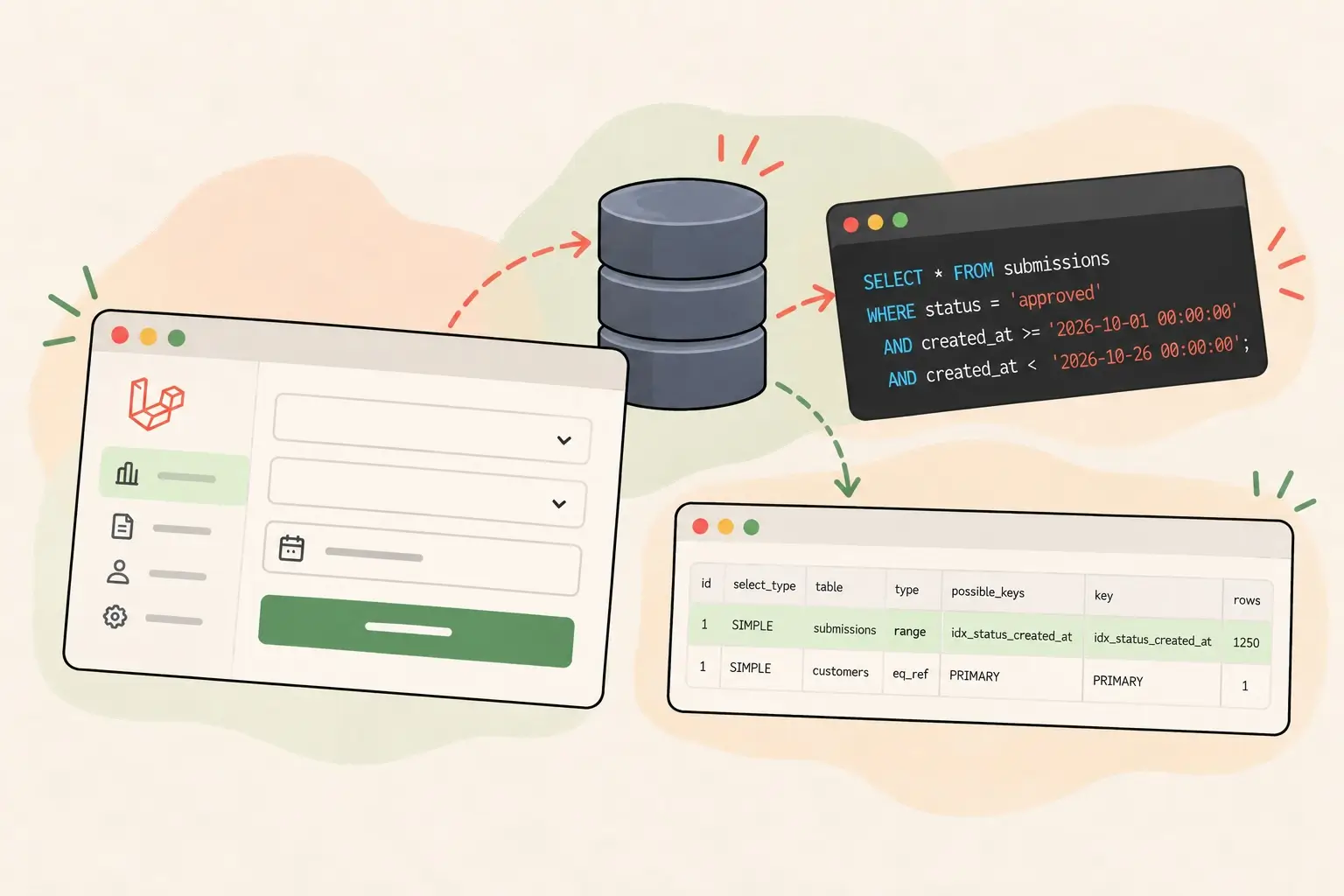
Suppose we find a report query like this:
SELECT *
FROM submissions
WHERE status = 'approved'
  AND created_at >= '2026-10-01 00:00:00'
  AND created_at < '2026-10-26 00:00:00';
Before creating an index, I’d want to understand several things.
How much data does the query examine?
If MySQL examines hundreds of thousands of rows to return a few dozen, we should investigate why.
Is an appropriate index available?
An index might already exist, but that doesn’t guarantee MySQL can use it efficiently for this particular query.
Is the query doing unnecessary work?
For example, does the report retrieve every column when it only needs a few? Is it loading large amounts of data into PHP to calculate a total that MySQL could calculate directly?
How frequently does the query run?
A report that runs once a day presents a different optimisation opportunity from a query executed repeatedly throughout the day.
These questions help narrow down the problem before we start making changes.
Use EXPLAIN to investigate the execution plan
MySQL provides EXPLAIN, which shows how the database intends to execute a query.
For example:
EXPLAIN
SELECT *
FROM submissions
WHERE status = 'approved'
  AND created_at >= '2026-10-01 00:00:00'
  AND created_at < '2026-10-26 00:00:00';
Some useful fields to inspect include:
possible_keys: indexes MySQL considers candidates for the query.key: the index MySQL actually chooses.type: the access method, which can help indicate whether the query uses an index lookup, range scan, or full table scan.rows: the estimated number of rows MySQL expects to examine.
A full table scan isn’t automatically a problem. If a query needs a large proportion of a table’s rows, scanning the table may be more efficient than using an index.
Likewise, seeing an index in the execution plan doesn’t automatically mean the query is optimised.
The goal is to understand whether the chosen execution plan makes sense for the amount of data being processed and the results the query needs to return.
MySQL 8 also supports EXPLAIN ANALYZE, which executes the query and reports actual execution details alongside estimates. Because it executes the statement, I’d use it carefully when investigating expensive queries, particularly in production.
For now, the important thing is not to memorise every field in an execution plan. It’s to start asking better questions about the work MySQL is performing.
Establish a baseline before making changes
Suppose we identify a query that appears to be a performance bottleneck.
Before modifying it, I’d record what we know about its current behaviour.
For example:
How long does it take to execute?
How many rows does MySQL examine?
Which index does it use?
How frequently does it run?
Does the problem occur consistently or only during particular periods?
Then we can make a change and compare the results.
Perhaps we discover that an existing index isn’t being used efficiently. Perhaps the query applies a function to an indexed column. Perhaps it retrieves too much data or performs an unnecessarily expensive aggregation.
Each of these problems calls for a different solution.
Without a baseline, it’s difficult to tell whether a change actually improved performance or simply moved the problem somewhere else.
It’s also worth remembering that database performance can vary with the amount of data, caching, concurrent activity, and other workload conditions. Where possible, comparisons should use representative data and similar conditions.
Optimisation is an investigation, not a guessing game
Working with an application that has many reports and dynamic filters can make database optimisation feel complicated.
There may be dozens of possible query patterns and countless combinations of filters. Trying to anticipate every possible combination and create an index for each one is unlikely to be a good long-term strategy.
Instead, I want to approach the problem systematically:
Identify when the performance problem occurs.
Gather evidence about database activity.
Find query patterns that contribute significantly to the workload.
Examine the SQL and its execution plan.
Form a hypothesis about the cause.
Make one targeted change.
Measure the results and verify the improvement.
Not every slow query needs another index. Sometimes the query needs to be rewritten. Sometimes the application is doing too much work. And sometimes the database is simply handling too much concurrent activity.
The first job is to determine which situation we’re dealing with.
I’m learning that database optimisation isn’t just about knowing which indexes to create. It’s about developing a process for finding the real problem before trying to solve it.
And that feels like a much better place to start.